

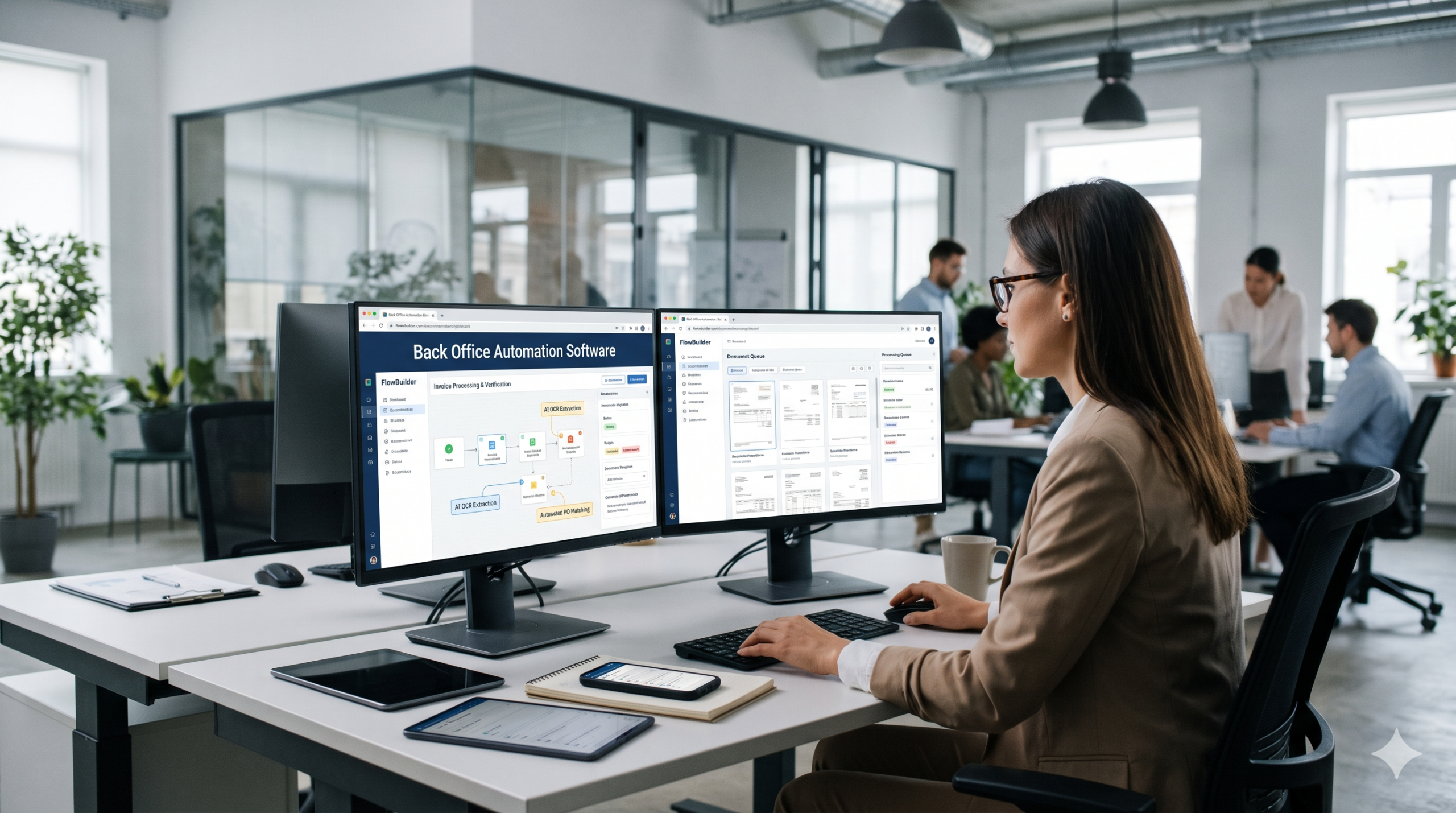
In the pursuit of digital transformation, enterprise leaders frequently direct their capital toward customer-facing applications, sales automation, and highly visible front-end technologies. Yet, beneath the polished exterior of many modern enterprises lies a hidden, fragile foundation: the back office.
Despite investments in massive Enterprise Resource Planning (ERP) systems, the actual day-to-day operations of Accounts Payable, Human Resources, Procurement, and Quality Assurance often rely on a phenomenon known as “swivel-chair integration.” This occurs when human employees act as the manual bridge between disconnected software systems—reading an invoice from an email on one screen, pivoting in their chair, and manually typing that exact same data into the ERP on another screen.
Manual data entry is not just an administrative bottleneck; it is a severe operational liability. It introduces human error, slows down critical business cycles, and traps high-value employees in low-value, repetitive tasks. To scale operations without linearly scaling headcount, operational leaders are aggressively pivoting toward back office automation software.
By deploying unified workflow engines like FlowBuilder by Samyak Infotech, organizations are combining the structured discipline of digital Standard Operating Procedures (SOPs) with the cognitive power of Artificial Intelligence (AI) document processing to permanently eradicate manual data entry.
Before implementing an automation engine, operations directors must accurately diagnose the root causes of their administrative bottlenecks. Back-office inefficiency typically stems from three systemic failures:
Modern enterprises utilize an average of 130 different Software-as-a-Service (SaaS) applications. When the CRM, the inventory management database, and the accounting software do not natively communicate, data becomes trapped in silos. Employees are forced into continuous data extraction and manual re-entry to keep multiple systems synchronized, leading to massive duplication of effort.
An estimated 80% of enterprise data is unstructured. It arrives in the form of PDF invoices, scanned packing slips, vendor emails, and physical compliance forms. Traditional software cannot read this unstructured data. Therefore, humans must read, interpret, and manually transcribe this information into structured, searchable databases.
When processes are documented in static PDF manuals or neglected internal wikis, employees often rely on tribal knowledge to execute complex workflows. Without systemic guardrails, human error scales exponentially. A missed approval signature on a procurement request or a mis-keyed digit on a payroll form can result in significant financial penalties or compliance failures.
Workflow automation software is an enterprise platform designed to route information, tasks, and documents between people and systems automatically, based on pre-defined business rules.
Rather than relying on an employee to remember that an invoice over $10,000 requires the CFO’s approval, the workflow engine automatically intercepts the invoice, evaluates the monetary value against the organizational rule, and digitally routes it to the CFO’s dashboard for a signature—all without human intervention.
For organizations looking to scale, the ultimate expression of this technology is FlowBuilder. Developed by Samyak Infotech, FlowBuilder is not merely a task manager; it is a comprehensive enterprise workflow engine that digitizes complex SOPs and integrates AI to handle heavy data-processing workloads.
The core philosophy of FlowBuilder is to transform static, paper-based SOPs into dynamic, enforceable digital pathways. Here is how FlowBuilder revolutionizes the back office:
FlowBuilder empowers operations teams to visually map out their exact business processes without requiring custom code. Using a drag-and-drop interface, managers can build sequential logic trees. For example, in an HR onboarding workflow, Step 1 (IT Equipment Request) must be completed before Step 2 (Software Provisioning) can begin. FlowBuilder physically prevents the workflow from advancing out of sequence.
Security and compliance are paramount in the back office. FlowBuilder enforces strict RBAC, ensuring that tasks are routed only to authorized personnel. An entry-level clerk can initiate a vendor payment request, but the software fundamentally blocks them from executing the final approval. This structural hierarchy is essential for achieving compliance with frameworks like ISO 27001 or SOC 2.
Every action taken within FlowBuilder is permanently logged. When a document is approved, rejected, or modified, the system records the user’s identity, the exact server timestamp, and the nature of the action. During an internal financial audit or a regulatory inspection, operations managers no longer need to hunt through email chains; they can instantly export a perfectly sequential, cryptographic audit trail.
While FlowBuilder excels at routing tasks, the true elimination of manual data entry requires Artificial Intelligence. Samyak Infotech integrates advanced AI and Natural Language Processing (NLP) directly into the workflow engine to handle unstructured data.
Traditional OCR technology simply turns an image into a block of text, leaving it up to a human to find the relevant data. AI-powered document processing understands context.
When a vendor emails a PDF invoice, the FlowBuilder AI engine ingests the document. It does not just read the text; it understands that “Total Due” is the invoice amount, regardless of where it is located on the page or what font the vendor used.
The AI extracts critical data points—such as Invoice Number, Date, Line Items, and Tax Amounts—and instantly maps them to structured fields. Before routing this data to your ERP, FlowBuilder performs automated validation checks. It can cross-reference the extracted invoice total against the original Purchase Order (PO) in your database.
If they match (2-Way Match): FlowBuilder automatically pushes the data to the accounting software for payment. Zero human intervention.
If there is a discrepancy: FlowBuilder flags the document and routes it to an Accounts Payable specialist for manual review.
This principle is known as management by exception. Humans only intervene when the AI detects an anomaly, allowing a single employee to manage thousands of documents per day.
Deploying AI and digital workflows yields immediate, measurable returns across multiple back-office departments.
The Problem: AP clerks spend hours daily typing invoice details into accounting software and chasing department heads for approval signatures.
The FlowBuilder Solution: Invoices are ingested via email. AI extracts the line items. FlowBuilder cross-references the PO, routes the invoice to the appropriate department head based on cost-center rules, captures an electronic signature, and pushes the final data to the ERP.
The Result: Invoice processing time drops from 14 days to under 24 hours. Late payment penalties are eliminated, and manual entry errors drop to near zero.
The Problem: In regulated industries, maintaining quality control logs via paper forms results in missing data, illegible handwriting, and massive audit risks.
The FlowBuilder Solution: Paper logs are replaced with FlowBuilder digital forms on mobile tablets. The workflow requires operators to enter specific values (e.g., product weight, inspection status) before they can hit submit. Built-in logic immediately flags out-of-spec entries.
The Result: 100% compliance with SOPs, zero missing signatures, and immediate audit readiness.
The Problem: Onboarding a new hire requires coordinating IT, Payroll, Facilities, and Management, often resulting in massive email chains and delayed start dates.
The FlowBuilder Solution: A single trigger (e.g., “Hire Accepted”) launches parallel digital workflows. IT receives a task to provision a laptop; Payroll receives the automated tax forms; Security is prompted to print a badge.
The Result: A seamless, standardized onboarding experience that requires zero manual email chasing.
Manual data entry is a tax on your organization’s growth. Every hour a skilled employee spends copying data from a PDF into a database is an hour stolen from strategic planning, vendor negotiation, and process improvement.
By integrating the AI document processing and digital SOP architecture of FlowBuilder, operations directors can build a highly scalable, error-free back office. You stop relying on humans to act as the integration layer between your systems, and empower them to focus on the high-level cognitive tasks that actually drive the business forward.
Are you ready to eradicate manual data entry and automate your most complex back-office workflows? Contact the Samyak Infotech enterprise software team today to schedule a customized demonstration of FlowBuilder.


©2026 Samyak Infotech Pvt Ltd. | All trademarks, images and logos are the property of their respective owners.
 explore more