What is invoice approval workflow software?
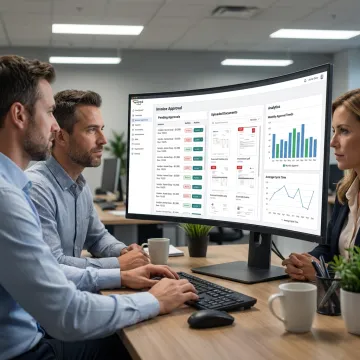
Invoice approval workflow software digitizes how invoices are submitted, reviewed, approved, rejected, and tracked. Instead of relying on emails or spreadsheets, it applies your business rules, approval hierarchy, budget checks, notifications, document storage, and reporting in one system built for your finance process.
How can invoice approval workflow software reduce processing time?
It reduces processing time by automatically routing invoices to the right approvers, sending reminders, flagging missing data, and escalating overdue tasks to the responsible person and their manager. Dashboards show pending, approved, and overdue invoices in real time. In one FlowBuilder deployment at a pharmaceutical manufacturer, this replaced a mix of paper, email, and per-seat SAP licenses, unifying more than 100 concurrent users onto one system with a full digital, audit-ready trail.
Can the software integrate with our ERP or accounting system?
Yes. Samyak Infotech develops workflow software with secure integrations for ERP, CRM, accounting, procurement, and document management systems. FlowBuilder runs in production integrated directly with SAP. At one large pharmaceutical manufacturer, over 100 daily users work in the workflow platform while data synchronizes with SAP, which also reduced per-seat license costs for approval-only users.
What features should an invoice approval workflow include?
A strong invoice approval workflow should include configurable approval levels, role-based access, invoice capture, document attachments, notifications, exception handling, audit logs, dashboards, and reporting. FlowBuilder adds turnaround-time (TAT) tracking for every step, an escalation matrix, parallel approval steps, an email template builder, and login history tracking.
How long does invoice approval workflow software development take?
Standard FlowBuilder workflows for document approvals, purchase requests, and expense reporting are ready to use, and a tailored approval workflow can often be configured within days rather than months. Larger systems with complex integrations, custom reporting, and multiple user roles follow a structured cycle of discovery, prototype validation, development, testing, deployment, and support.
Can approval rules be configured for different departments?
Yes. Approval paths can vary by department, cost center, invoice value threshold, project, or category, with multi-level approvals and escalation rules. Role-based and step-level access control defines doers, viewers, and approvers for every step, and admin users can adjust workflows without writing code as policies change, reducing dependence on developers for routine updates.
How do you keep invoice and financial data secure?
Financial workflow software should protect invoice data with role-based permissions, secure authentication, encrypted data handling, activity logs, login history tracking, and controlled document access. Samyak Infotech also brings ISO 9001-certified development practices and cybersecurity experience to help build reliable systems that support internal governance and audit requirements.
Do you provide support after deployment?
Yes. Samyak Infotech offers application maintenance and support to keep your workflow software running smoothly after launch. Support may include bug fixes, performance monitoring, user feedback improvements, integration updates, workflow refinements, and enhancements as your finance process grows or business rules change.